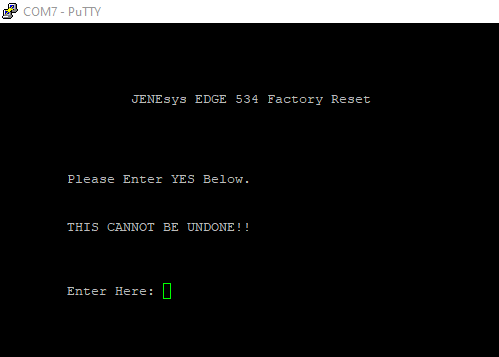
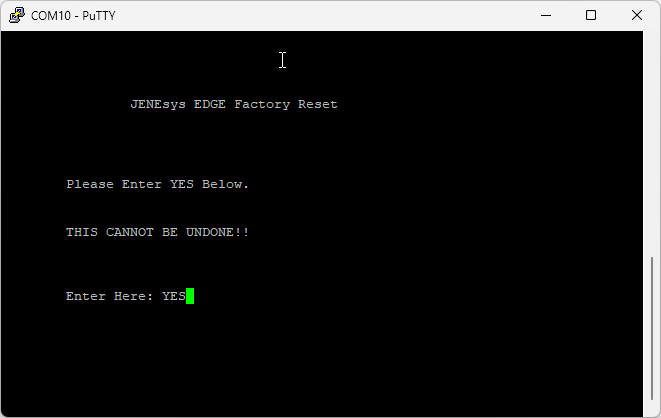
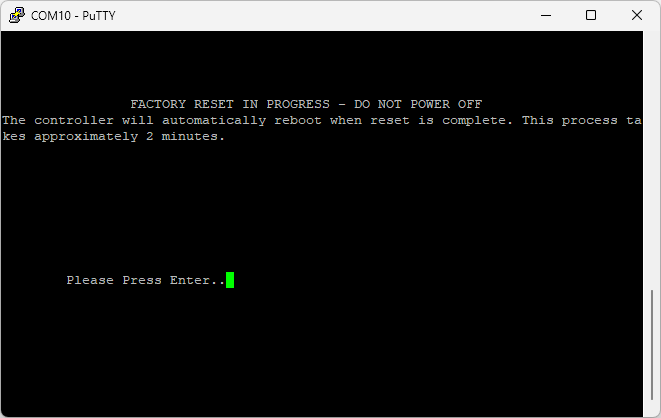
Using the top Micro USB port, access the controller using terminal mode emulation software similar to Putty or Hyperterminal. Use the following settings which are the same as any Tridium Jace/Jene (attached)
Plug the controller to your PC using the micro USB port in the controller
If you have a hard time finding out the Com port assiged to the USB, you can use the COM port Lookup too from this website in the link -> Com port lookup application
Setting for the comport are
Baud Rate: 115200
Data Bits 8
Parity None
Stop Bits 1
Flow Control None
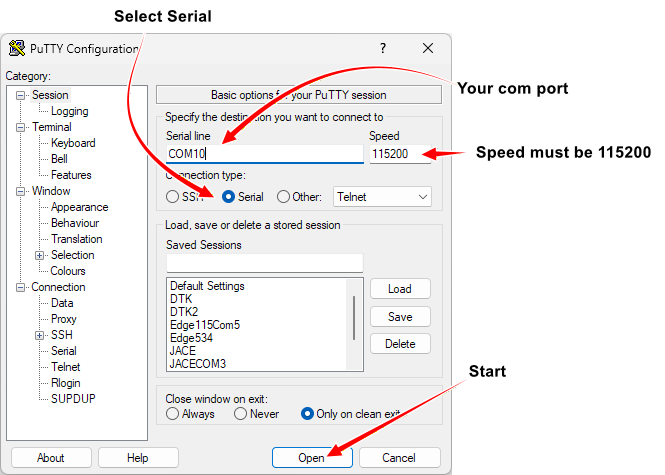
Once the terminal is open,
- Press ‘Enter’ then Screen will display the question: Do you want to reset the Platform Credentials?
- Type: YES (Must be capitalized) then Press ‘Enter’
This process will take about 3-4 minutes to complete. Once done, the device will be restored to its factory out-of-box state.
The platform credentials and IP addresses will be at their factory defaults. The station, licenses, modules and certificates will be removed.
Passphrase will be reset to factory default: tridium